
# 환경(Environment)
OS : MacOS Sequoia 15.0
고정키(Sticky Key) 기능은, 조합키(Modifier)를 토글키(Toggle Key)처럼 사용할 수 있는 기능입니다.
즉, Ctrl+C를 누른다고 하면 Ctrl키를 꾸욱 누르고 있을 필요 없이 Ctrl키 따로 누르고 C키 따로 누르면 된다는 이야기입니다.
심지어 쌍자음 입력할 때도 Shift키가 쓰이잖아요? 이 때도 Shift키를 꾸욱 누르고 있을 필요가 없습니다.
손가락에 부담이 덜 가서 윈도우에서도 자주 사용했던 방식인데, 문제는 고정키를 켜면 Globe키로 입력 언어 전환이 불가능합니다.
이럴 경우, Karabiner라는 프로그램을 통해 해결할 수 있습니다.
(I used to use this method on Windows too because finger pain was reduced, but the problem is that when you are using sticky keys, you can’t switch input languages with Globe Keys.
But That can be solved with a program called Karabiner.)
https://karabiner-elements.pqrs.org
위 링크에서 카리비너 설치 파일을 다운로드 할 수 있습니다.
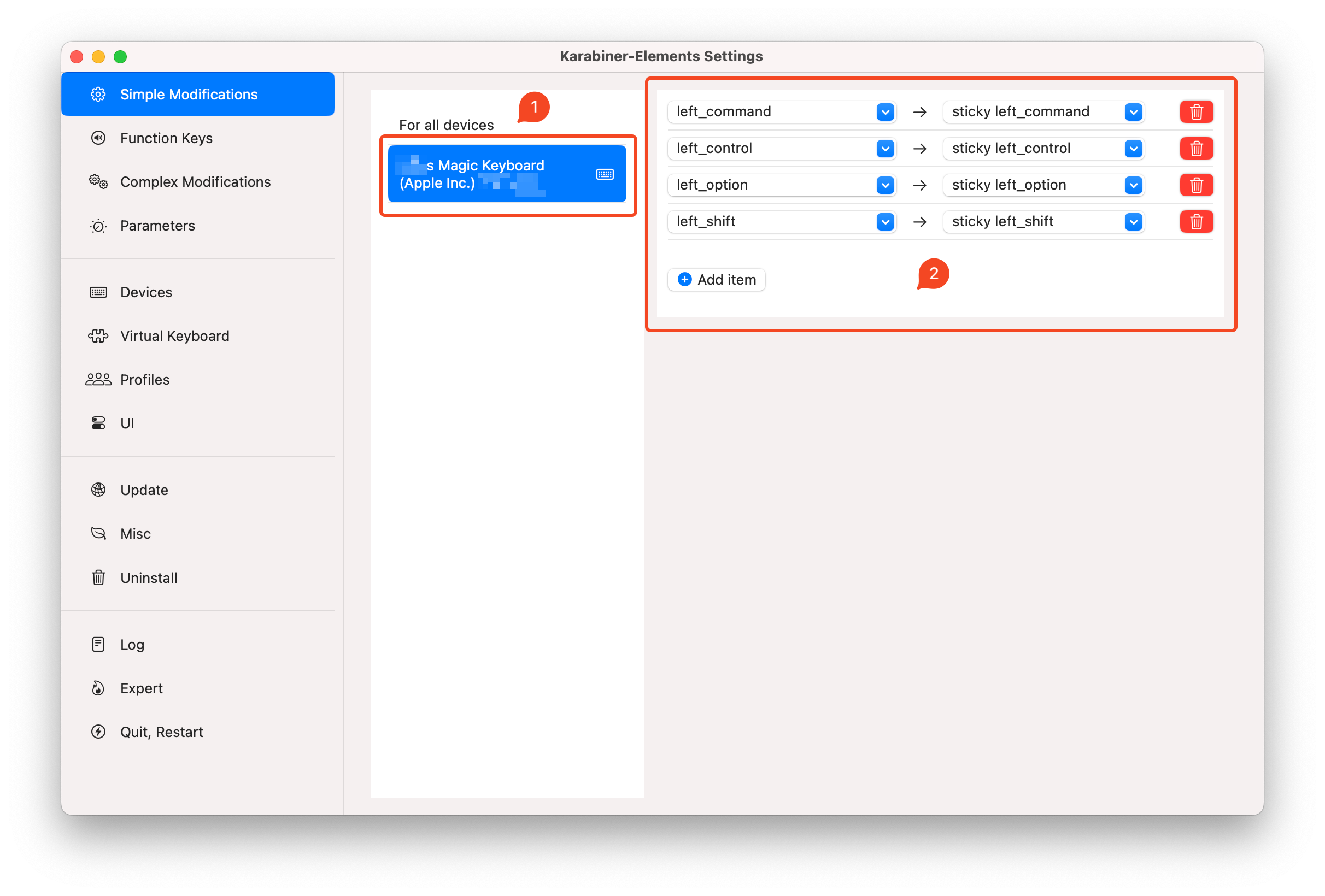
카라비너 실행까지 완료했으면 위와 같이 세팅해줍니다.
저는 매직키보드를 사용하고 있으므로 매직키보드를 선택해줬습니다.
보시다시피 조합키를 고정조합키로 대체하는 설정입니다.
Once you have successed to run karabiner program, configure keymapping as shown above.
I’m using Magic Keyboard, so I selected Magic Keyboard.
As you can see, it replaces the modification keys with sticky modification keys.
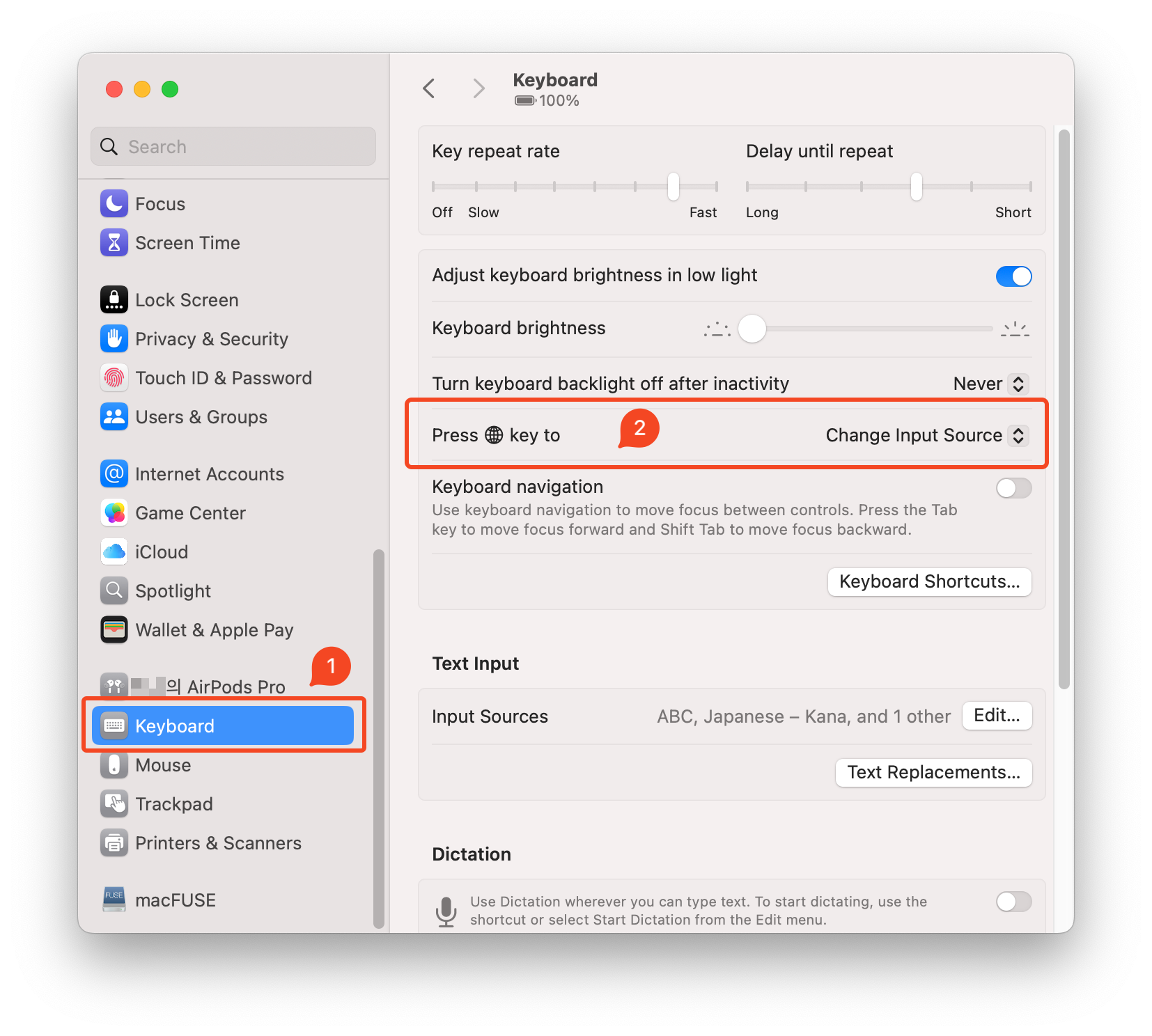
시스템 설정에 들어가 Globe키를 입력 소스 전환키로 설정하면 끝입니다.
(Go to system settings and set the Globe key as the input source change key.)